memberr
The Memberr integration displays customer data from the memberr loyalty program directly in the armincx inbox widget. Agents can view and adjust store credit balances without leaving the inbox.
When to use this
Use this when your shop runs memberr for store credits or memberships and you want support agents to view and edit a customer's balance during a conversation.
Prerequisites
An active memberr account connected to your Shopify store
Access to armincx integration settings (admin role required)
memberr Secret API Key (not the public key)
1. Retrieve your memberr API key
Open your Shopify admin panel.
Go to Apps → memberr.
Navigate to Settings → API.
Copy the Secret key (not the Public key).
2. Connect the integration in armincx
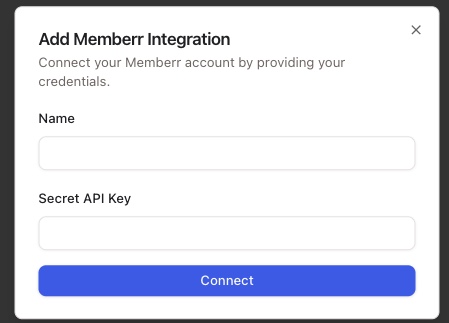
In armincx, go to Integrations → memberr → Connect → Add Account
In the Name field, enter an internal label for the connection (e.g. your shop name).
Paste the copied Secret API Key into the Secret API Key field.
Click Connect.
3. Verify the widget in the inbox
Once connected, the memberr widget appears in the inbox sidebar when viewing a contact. It shows:
Member ID and a link to the member profile
Store credit balance (for multi-store setups: balance per store)
Available actions in the widget
Add balance (store credits)
Deduct balance (store credits)
Notes
Always use the Secret API key, not the public key — the public key will not work for this integration.
For multi-store setups, the widget displays the balance per store separately.
The connection name is internal only and helps distinguish multiple connections.