
Amazon Seller Central
Connect your Amazon Seller account to manage buyer messages directly from your inbox. Reply to customer inquiries without switching to Seller Central.
Overview
OAuth Connection: Securely connect your Amazon Seller account with marketplace selection
Unified Inbox: Amazon buyer messages appear alongside your other support channels
Direct Replies: Respond to Amazon customers directly from the inbox using Amazon's SP-API Messaging
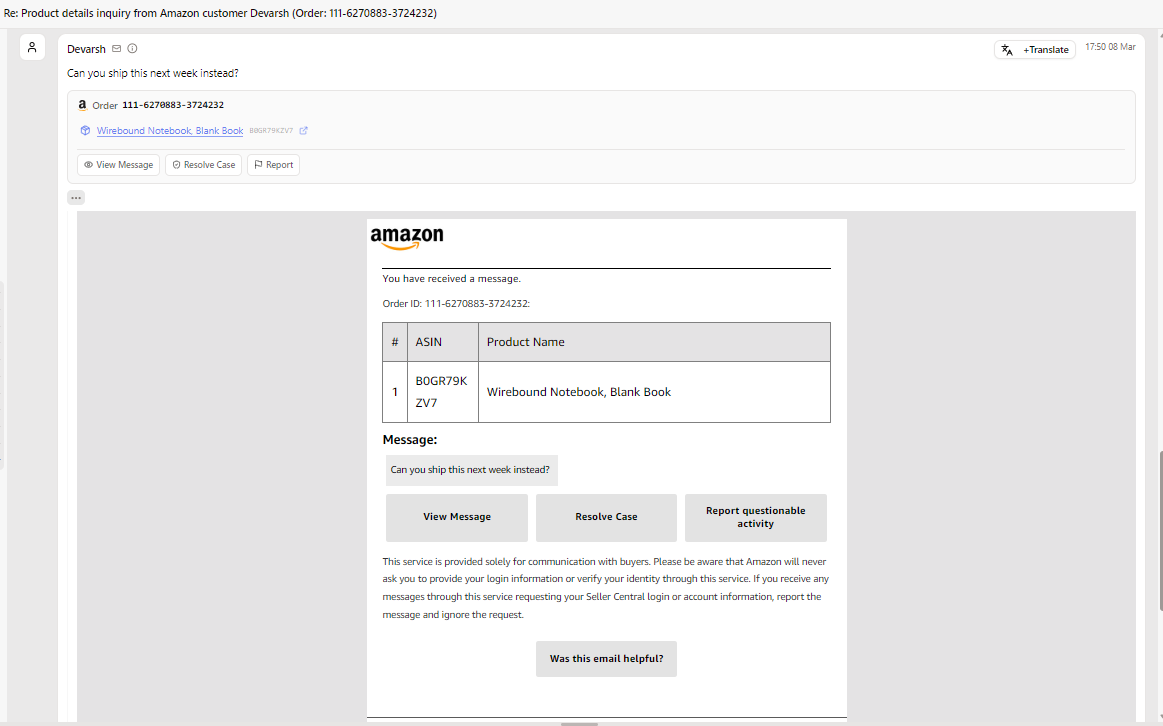
Smart Message Parsing: Buyer emails are automatically parsed into a clean, structured view with order details, product links, and action buttons
How to connect
Go to Integrations → Amazon Seller
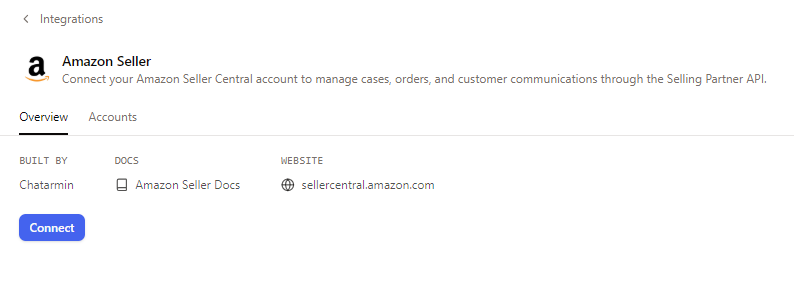
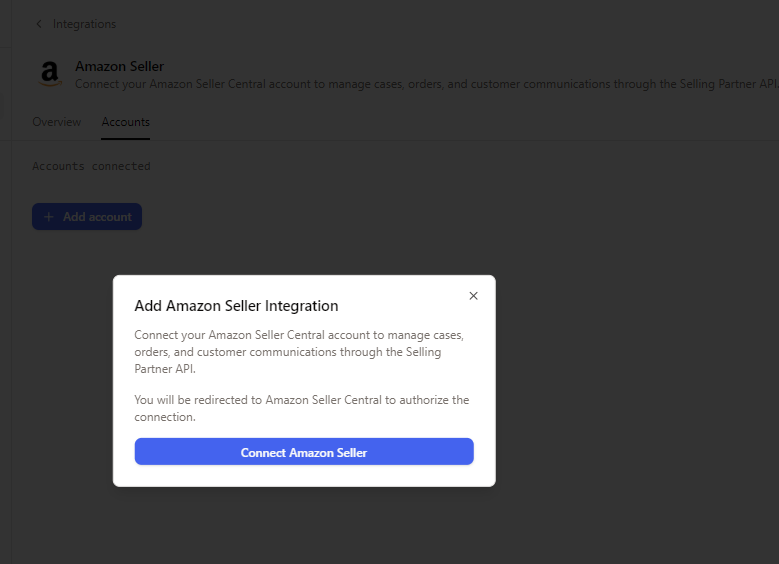
Switch to the Accounts tab and click + Add account
In the dialog, click Connect Amazon Seller
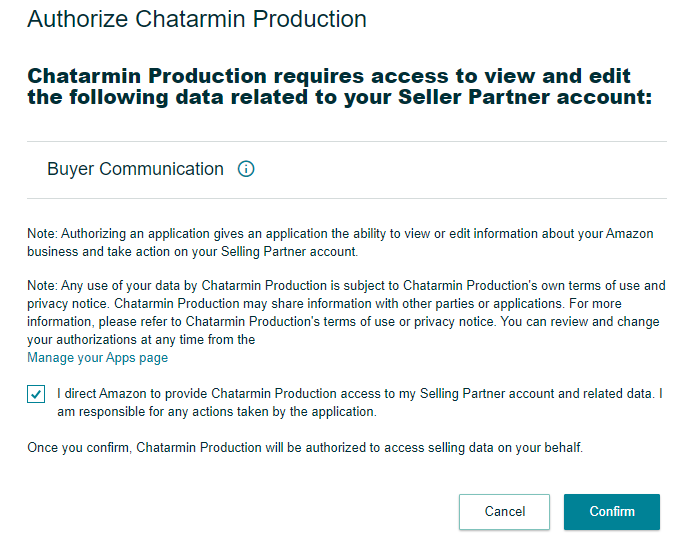
You will be redirected to Amazon Seller Central — review the permissions and click Confirm to authorize
Once connected, your account appears under the Accounts tab with a "Connected" status
Make sure the email address that receives Amazon buyer message notifications is connected as an email channel in CX
Incoming buyer emails are automatically parsed and displayed in a structured format — reply directly from the inbox
Amazon messages are processed through the same AI agent pipeline as your other channels, so auto-responses and workflows apply seamlessly.