
Amazon Seller Central
Connect your Amazon Seller account to manage buyer messages directly from your inbox. Reply to customer inquiries without switching to Seller Central.
Overview
OAuth Connection: Securely connect your Amazon Seller account with marketplace selection
Unified Inbox: Amazon buyer messages appear alongside your other support channels
Direct Replies: Respond to Amazon customers directly from the inbox using Amazon's SP-API Messaging
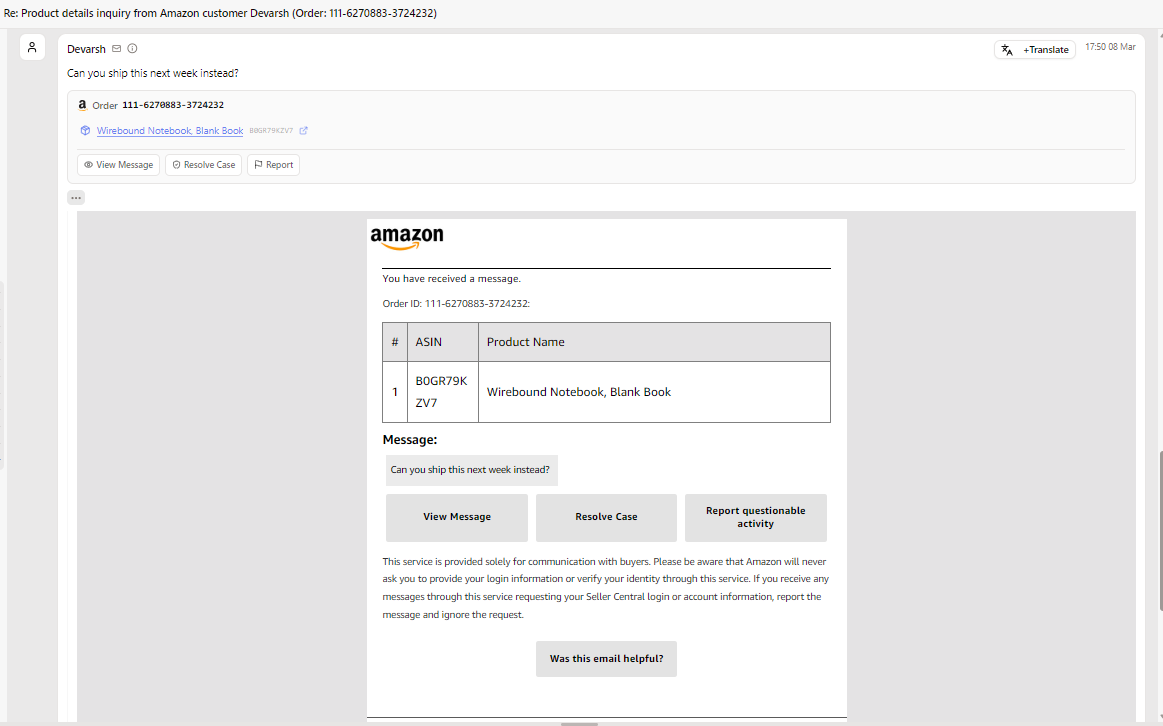
Smart Message Parsing: Buyer emails are automatically parsed into a clean, structured view with order details, product links, and action buttons
How to connect
Go to Channels → Amazon Seller

Click on Add to connect your Account
Then click on “Add account”

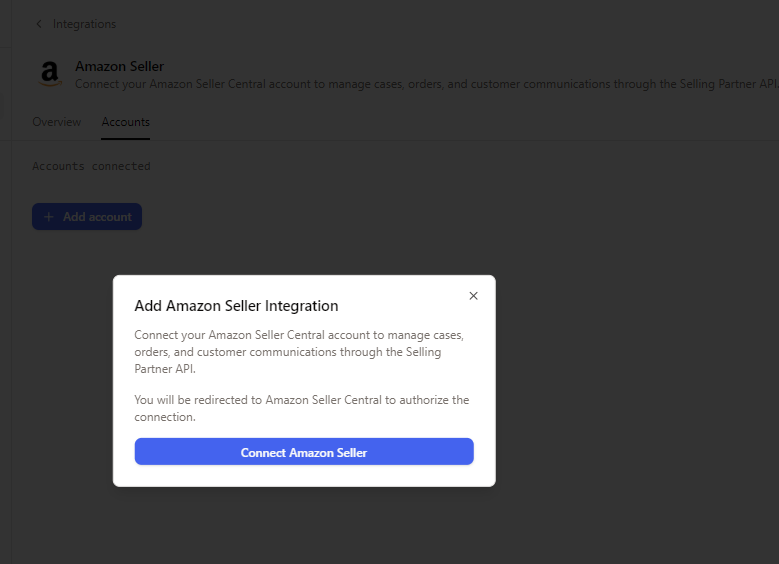
In the PopUp, click Connect Amazon Seller
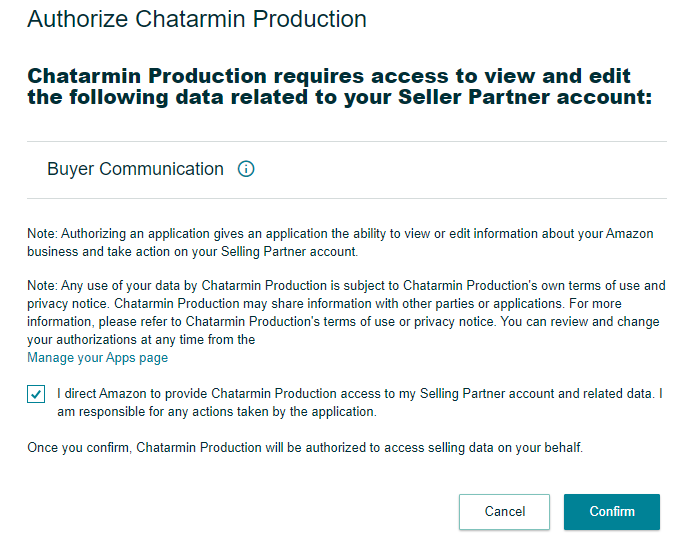
You will be redirected to Amazon Seller Central — review the permissions and click Confirm to authorize
Once connected, your account appears under the Accounts tab with a "Connected" status
Important: Make sure the email address that receives Amazon buyer message notifications is connected as an email channel in CX
Incoming buyer emails are automatically parsed and displayed in a structured format — reply directly from the inbox
To specifically view Amazon tickets in your inbox:
Go to your Views
Click on Filters
Under Channels, select Amazon


This allows you to easily filter and manage only Amazon-related tickets in your inbox.
The product and order information are directly linked within the message content.

Amazon messages are processed through the same AI agent pipeline as your other channels, so auto-responses and workflows apply seamlessly.